Company and finance
The Company screen is the financial and corporate center of BoardMasters. From here you can review financial statements, balance sheets, company evolution, weekly reports and the tracking of corporate decisions executed from the Board section.
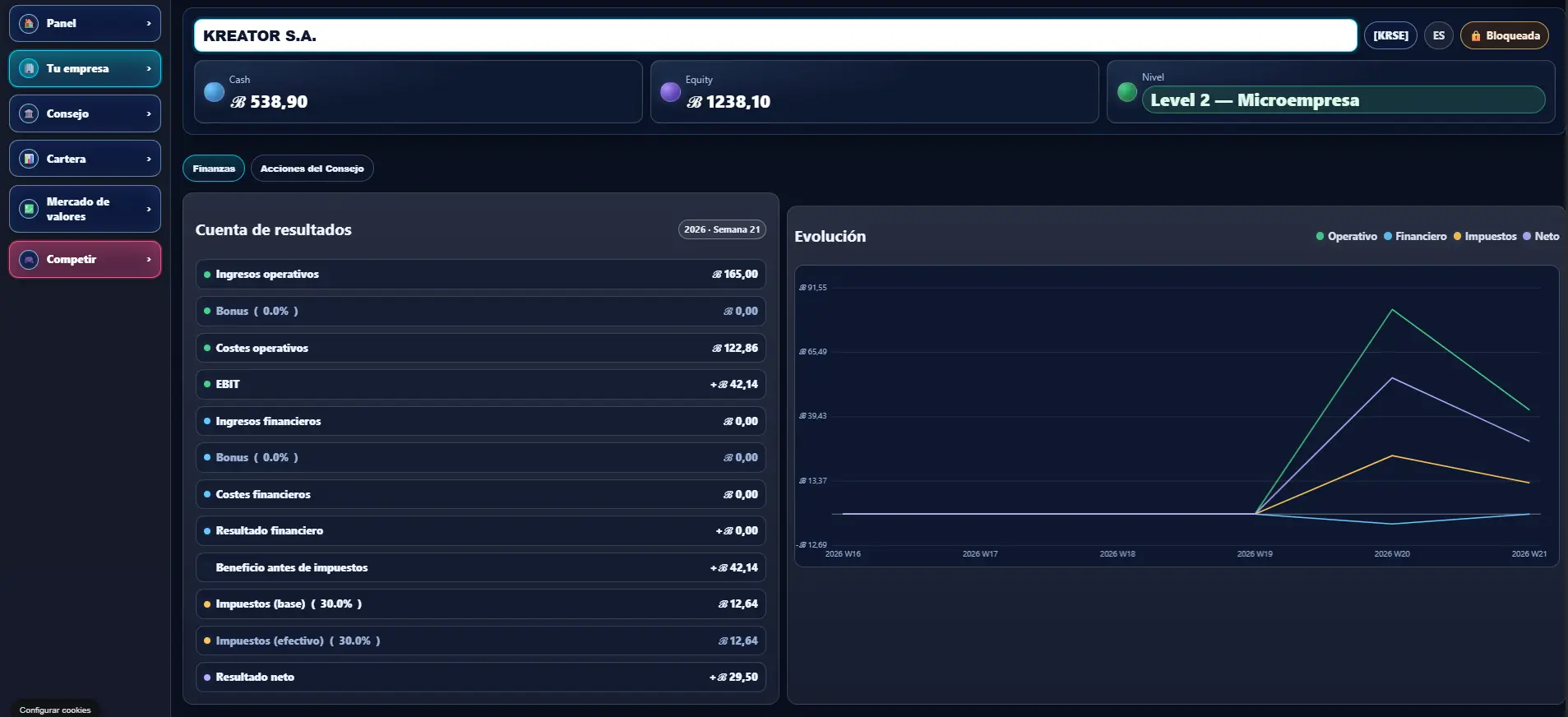
What the Company screen is
The Company screen works as the financial and corporate center of the company inside BoardMasters.
This section concentrates the most important economic information related to the company and its evolution inside the simulation.
From here you can review financial results, balance sheets, business evolution, public reports and the tracking of different corporate actions executed from the Board section.
Corporate identity
The upper part of the Company screen displays the company’s main identity: legal name, ticker, country, equity and level.
These details help quickly identify the company and understand its general status inside the simulation.
Financial statements and evolution
The Company screen allows players to review the full company financial statement.
Here you can see operational income, costs, financial results, taxes and net profit.
The evolution chart helps visualize how company performance changes over time and how weekly results evolve inside the simulation.
Company balance sheet
The Company screen also allows players to review the full company balance sheet.
From here it is possible to review assets, liabilities, equity, debt, cash and different financial positions related to the company structure.
The balance sheet helps understand the company’s overall financial structure inside BoardMasters.
Weekly reports
Weekly reports work as the periodic publication of company financial information inside BoardMasters.
These reports include ratios, financial results and different metrics related to company evolution.
When a company is public, the reports can be publicly consulted and used to analyze company performance and financial status.
Board Actions tracking
Board Actions allows players to track the decisions executed from the Board screen.
This section may include bond issuances, dividends, share buybacks, capital increases and takeover offers.
The screen displays status, dates, progress and execution details of different corporate actions performed by the company inside the simulation.