Topbar and actors
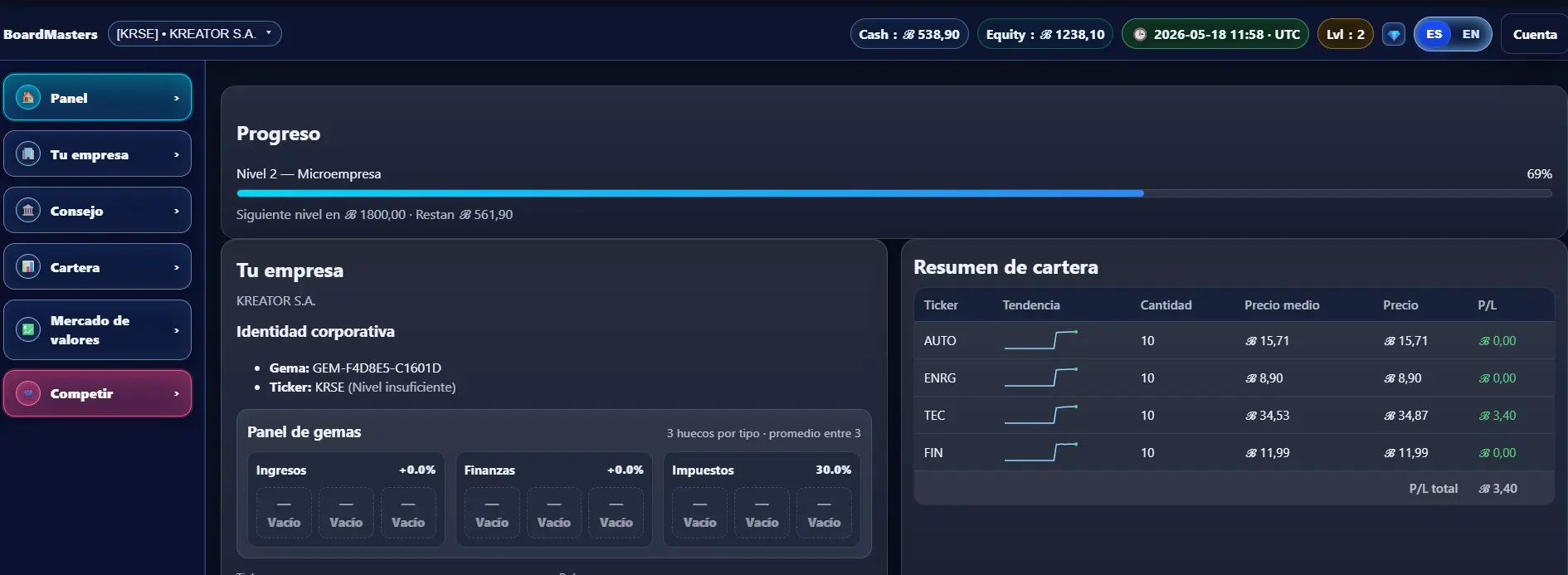
The topbar shows the main information for the active actor: player or company, available cash, equity, simulation timeline, level, language and account shortcuts.
Active actor
In BoardMasters you can play using different actors. The active actor determines who is performing actions inside the simulation and from which entity financial and business decisions are executed.
There are two main types of actors: the personal player and the company you control as CEO. You can switch between actors using the selector available at the top of the interface.

When you play as the player, every operation uses your personal wealth. Your CEO salary, investments, share purchases and available cash belong to the player as an individual.
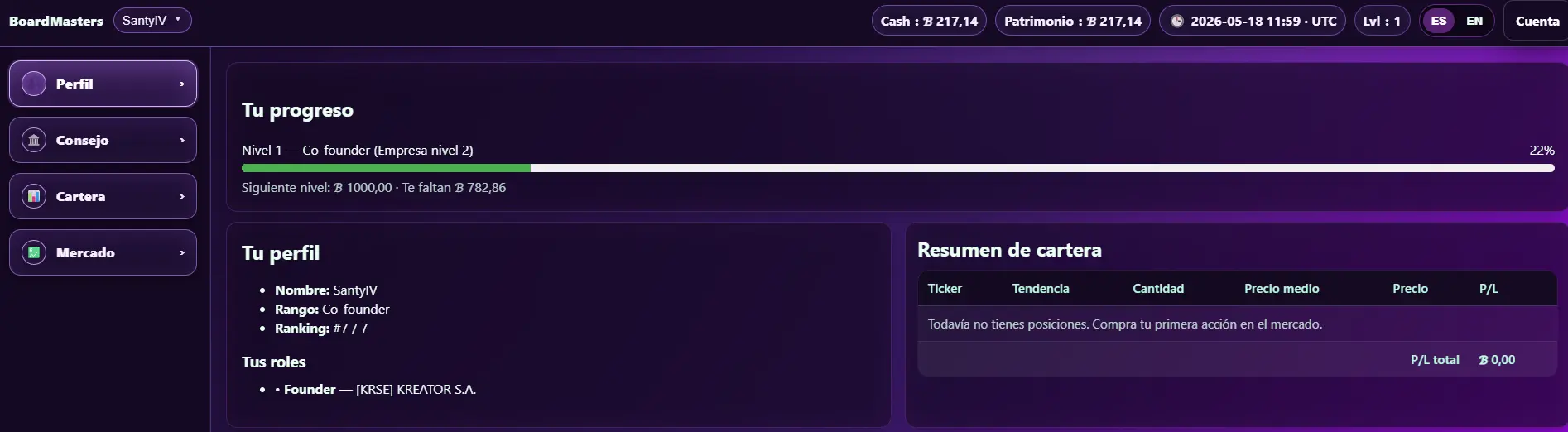
When you switch to the company actor, you act as the CEO of that company. At that point, decisions no longer affect the player’s personal wealth, but the selected company instead.
If you buy shares, the company buys them. If you execute board actions or corporate decisions, they are carried out on behalf of the company.
Each player can only be CEO of one company at a time. This makes corporate control more strategic and gives decisions a stronger impact inside the simulation.
At the beginning of the simulation, you start by controlling your own company as founder and CEO. However, over time the ownership structure can change.
Other players or companies may buy shares, increase their influence or even take control of the company. This means that being the founder does not guarantee keeping the CEO position forever.
Clock and timeline
The BoardMasters clock always runs in UTC. This means that every player shares the same simulation time regardless of their country or local timezone.
Using a common time reference avoids differences between players and allows market orders, dividends, buybacks, bond coupons, maturities and corporate events to be processed using a single official timeline.
The timeline helps players understand the current state of the simulation and when important events will be executed. Many financial decisions are not applied instantly, but according to the official game date and time.
The weekly close is one of the most important moments in BoardMasters. Every Sunday at 23:59:59 UTC the simulation week closes and all weekly changes are processed.
During the weekly close the game may process salary payments, bond coupons, taxes, weekly reports, corporate actions and other financial adjustments related to the current week.
Because of this, checking the clock and timeline before making decisions is very important. An order, investment or corporate action may produce different results depending on whether it happens before or after the weekly close.
Cash and Equity
The topbar displays the real-time cash and equity of the active actor. These values help players quickly understand their current financial situation before making decisions inside the simulation.
Cash represents the liquidity currently available. It is the money that the actor can use to buy shares, invest, participate in corporate operations or execute actions inside the market.
Equity represents the estimated total net worth of the actor. It includes the value of assets, ownership positions and financial holdings inside BoardMasters.
Checking available cash is especially important before executing major operations. Some actions require immediate liquidity and may be affected by payments, investments or events processed during the weekly close.
Since the system works with different actors, cash and equity values change depending on whether you are playing as the player or as a company. Each actor keeps its own financial situation and balance.
Account actions
The account section provides access to the main actions related to your player profile inside BoardMasters.
From this menu you can view your player ID. This identifier is required for certain simulation features, such as applying for CEO vacancies or participating in some corporate processes inside the game.
The player ID works as a unique reference inside BoardMasters. Sharing it publicly is not recommended, especially if you do not want to receive requests or interactions related to your account.
Inside the account actions menu you will also find options to log out, manage your active session and access different settings related to your user account.
Some security and account management features may evolve with future updates to the simulation and new actor management systems.